Advertisement
Google Ad Slot: content-top
PHP Form Required
In the previous chapter, all input fields were optional. But This chapter shows how to make input fields required and create error messages if needed.
Using PHP forms you can set certain fields to be required and display error messages if they aren't filled in upon submission.
Steps:
- Check if the form is submitted.
- Validate required fields.
- Display error messages if fields are empty.
- Retain user input after form submission.
Basic Example of Required Fields in PHP Form Validation
PHP Required Field Validation Example
Form Submitted Successfully"; echo "Name: " . $name . ""; echo "Email: " . $email . "
"; } ?>
How It Works
- Check for Required Fields:
if (empty($_POST["name"]))→ If the field is empty, it sets an error message.
- Sanitize Input (
test_input())
trim()removes extra spaces.stripslashes()removes backslashes.htmlspecialchars()prevents XSS attacks.
- Display Error Messages:
- If a field is empty, a red error message appears next to it.
- Retain User Input:
- The
value="<?php echo $name; ?>"ensures that after submitting, the entered data remains.
Output Examples
Before Submission:
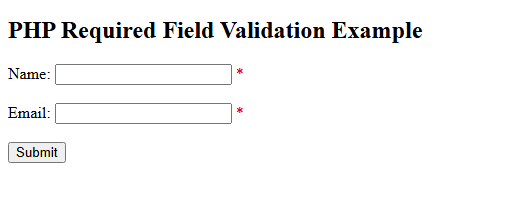
If Name and Email Are Left Empty:
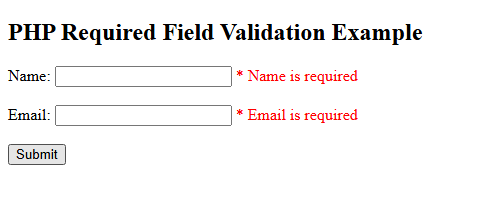
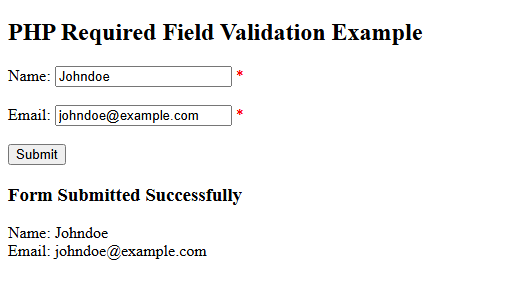
After Successful Submission: