Advertisement
Google Ad Slot: content-top
Spring Boot OAuth2 Authentication
OAuth 2.0 is an industry-standard protocol for authorization that allows secure access to resources without exposing user credentials
What is OAuth2?
OAuth2 allows applications to authenticate users via third-party providers like Google, Facebook, GitHub, and Keycloak without sharing passwords.
✅ Authorization Code Flow (Most Secure)
✅ Client Credentials Flow (For machine-to-machine authentication)
✅ Password Grant Flow (Deprecated – Use Authorization Code)
✅ Implicit Flow (Deprecated – Use PKCE)
Add OAuth2 Dependencies:
Include the necessary dependencies in pom.xml:
Configure OAuth2 Providers:
create access key and secret from google for goole login and paste in application.properties
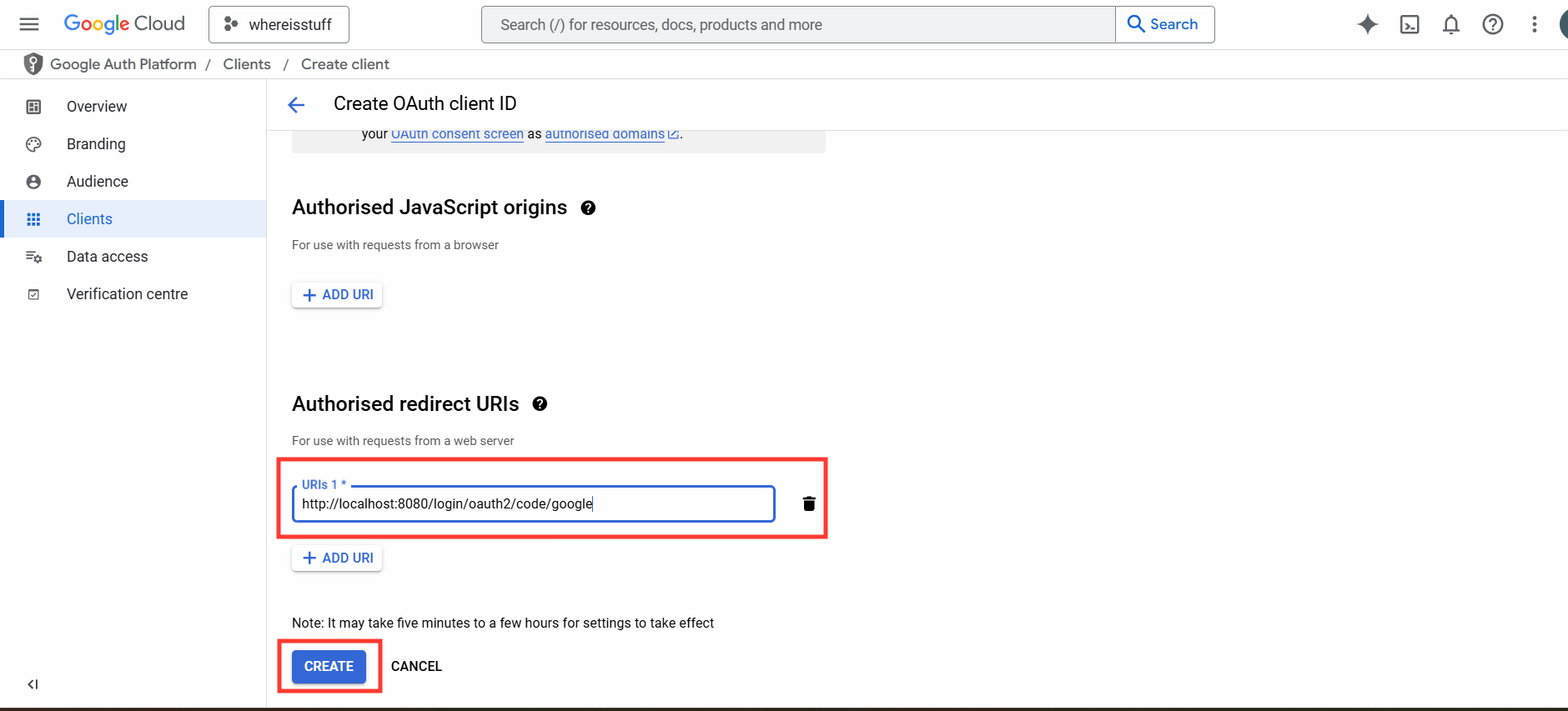
application.properties
#google Oauth2 credentials
spring.security.oauth2.client.registration.google.client-id=874105057-9q8tgp7raiqbv749pfiqktpnq1cmgd8.apps.googleusercontent.com
spring.security.oauth2.client.registration.google.client-secret=GOCSX-uXkDADlMzl_-4FOBJ2q6PSdwGgj
Implement Security Configuration
import org.springframework.context.annotation.Configuration;
import org.springframework.security.config.Customizer;
import org.springframework.security.config.annotation.web.builders.HttpSecurity;
import org.springframework.security.config.annotation.web.configuration.EnableWebSecurity;
import org.springframework.security.web.SecurityFilterChain;
@Configuration
@EnableWebSecurity
public class SecurityConfig {
public SecurityFilterChain securityFilterChain(HttpSecurity http) throws Exception {
http.authorizeHttpRequests(auth->auth.anyRequest().authenticated())
.oauth2Login(Customizer.withDefaults());
return http.build();
}
}
Create a Simple Controller
import org.springframework.web.bind.annotation.*;
@RestController
@RequestMapping("/")
public class AuthController {
@GetMapping("/hello")
public String greet(){
return "Hello world";
}
}
Get Route GET:http://localhost:8080/hello